
Tutorial – ProCamera HD SnapTrigger for iPad: Customising your Shooting Experience
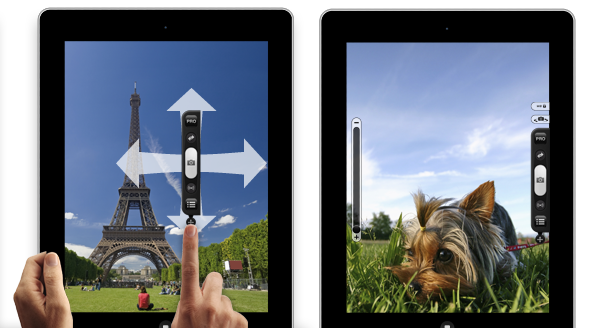
It’s been a big week for iPad photography with a two of our competitors following our lead and releasing iPad photography apps.
The thing that sets ProCamera HD apart from competitors’ apps is our custom-built SnapTrigger. The SnapTrigger can be moved around the iPad screen, letting you customise your shooting experience – you can put all your controls right where you want them, both in portrait and landscape mode. This is great for left and right hand shooters and also for those who hold the iPad in unique ways.
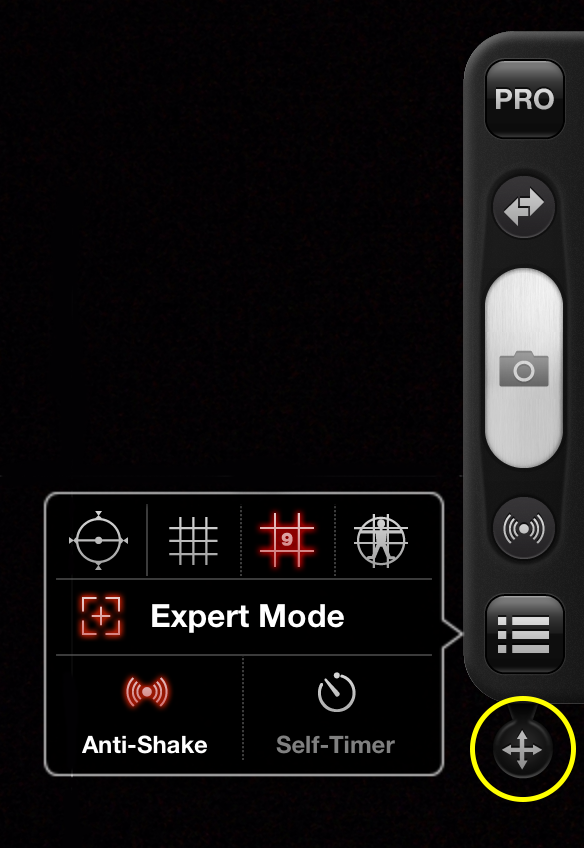
You can see the ProCamera HD SnapTrigger on the right, it contains extensive shooting functions including Video Mode, Expert Mode, grid lines and anti-shake/self-timer options.
By pressing at the base of SnapTrigger (the multi-direction arrow circled in yellow) you can easily move and place it anywhere on the left and right side of the screen.
Below is a short video demonstration.
Where do you have your SnapTrigger when taking photos or shooting videos? Let me know in the comments below.
—-
Click here to download ProCamera HD from the AppStore.