
ProCamera 4.0 for iPhone: It’s our biggest update ever including new Capture Formats & Lightbox!
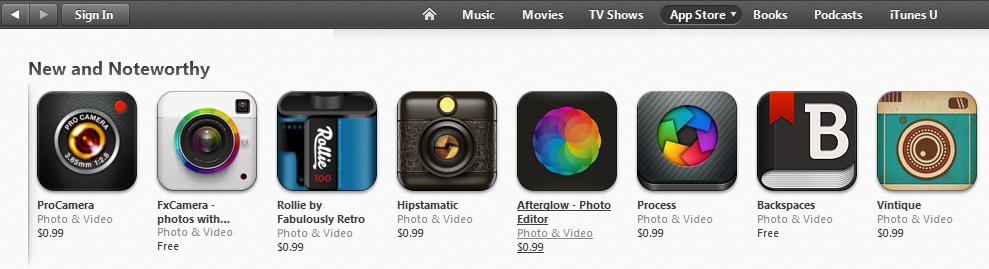
Update: ProCamera 4.0 has just been featured on the US App Store Photo & Video New and Noteworthy Section!
We’ve just released ProCamera 4.0 on the AppStore. The update is packed with over a dozen new photo, editing, video and sharing features to take your creativity to the next level!
In the spirit of the holiday season we’re dropping the price of ProCamera 4.0 down to $0.99 (a 66% reduction!).
According to Jens Daemgen, our lead developer and creator of ProCamera:
“It’s been four years since we first released ProCamera on the iPhone and this update, in my mind, is the best we’ve ever made. I’m most excited about the new dedicated ProCamera Lightbox – you can now save, share, export and delete photos and videos right within the app!”
The new ProCamera Lightbox
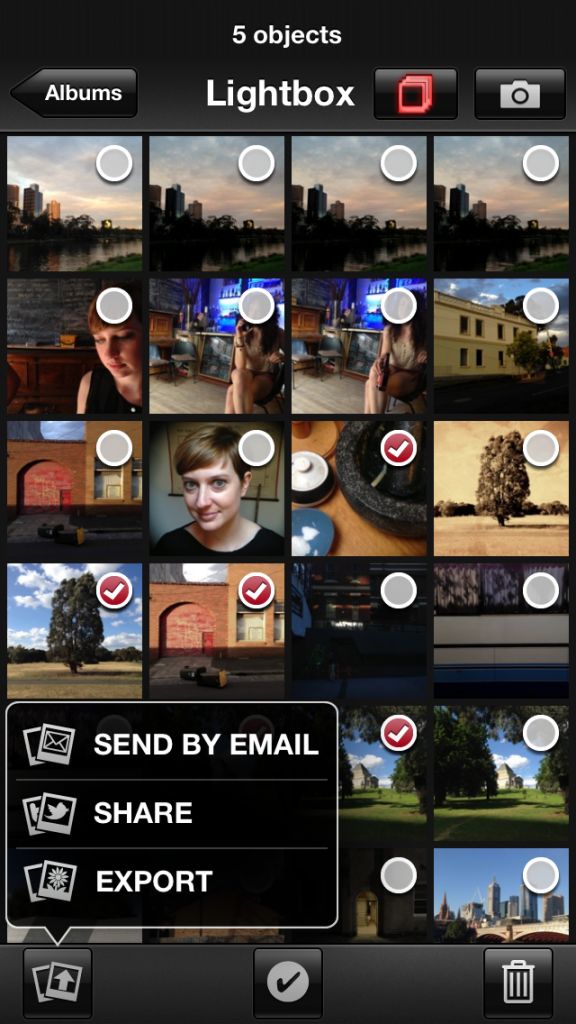
We’ve built a dedicated Lightbox into ProCamera. Now you can select, share, export and delete photos within the app! No more app-switching!
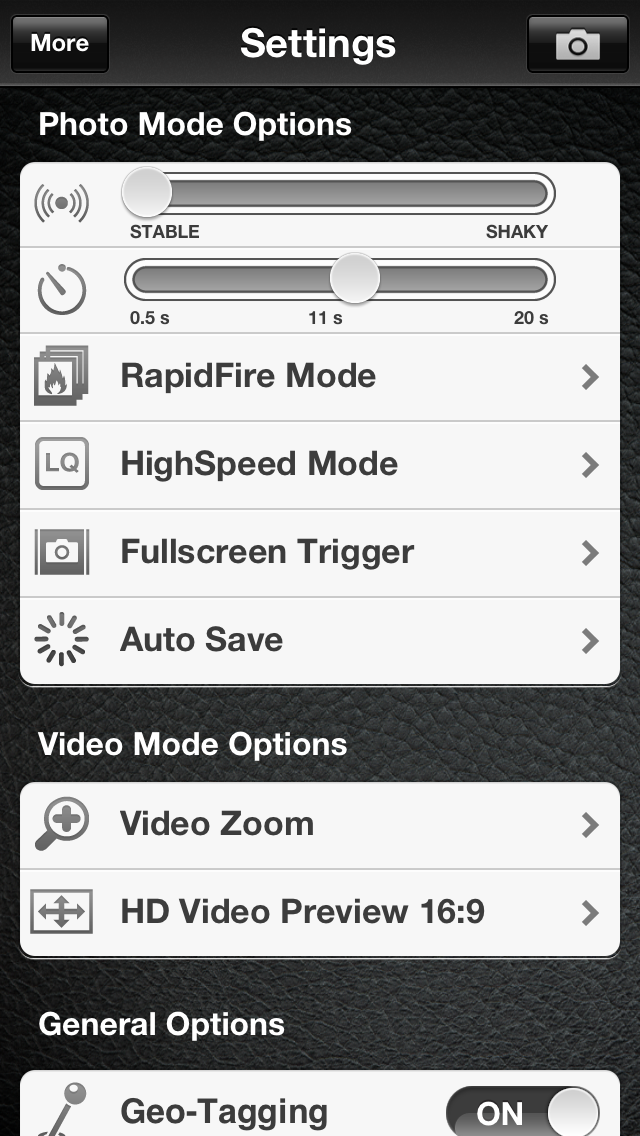
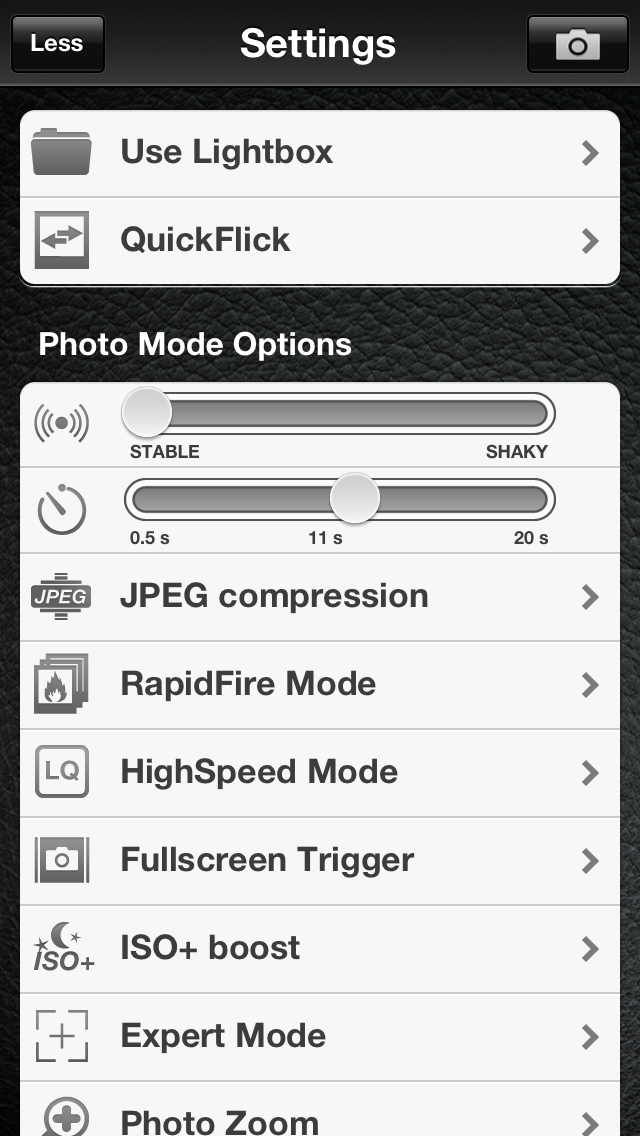
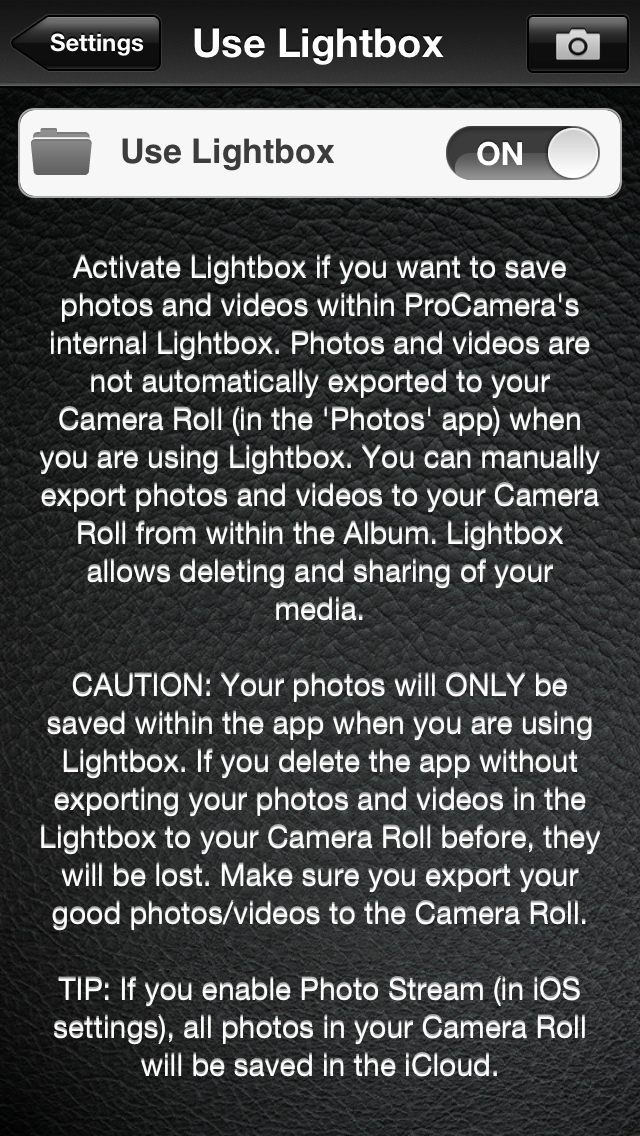
To turn on the Lightbox the first time you need to go into the Settings and press on the top-left More button. This brings up the Use Lightbox Function which you can select and turn to On.
Now ProCamera will save all photos directly to the Lightbox instead of the standard Camera Roll.
Three steps to turn on the Lightbox:
 |
 |
 |
|---|---|---|
| Press the More Button (top-left) to expand out the Settings | Press Use Lightbox (top setting) | Turn on the Lightbox |
The easiest way to access the Lightbox is to use the ProCamera QuickFlick function. A quick swipe to the right will take you straight to the photos. You can also open it by pressing PRO>ALBUM & STUDIOS.
To complement the Lightbox, we’ve also rebuilt the Library and Album view to support real-time photo stream updates, copy and paste functionality and full-resolution photo zoom. You can also quickly select, share or export multiple photos at the same time.
New Capture Formats when taking photos!
Our users said they wanted more control over their shooting and we listened.
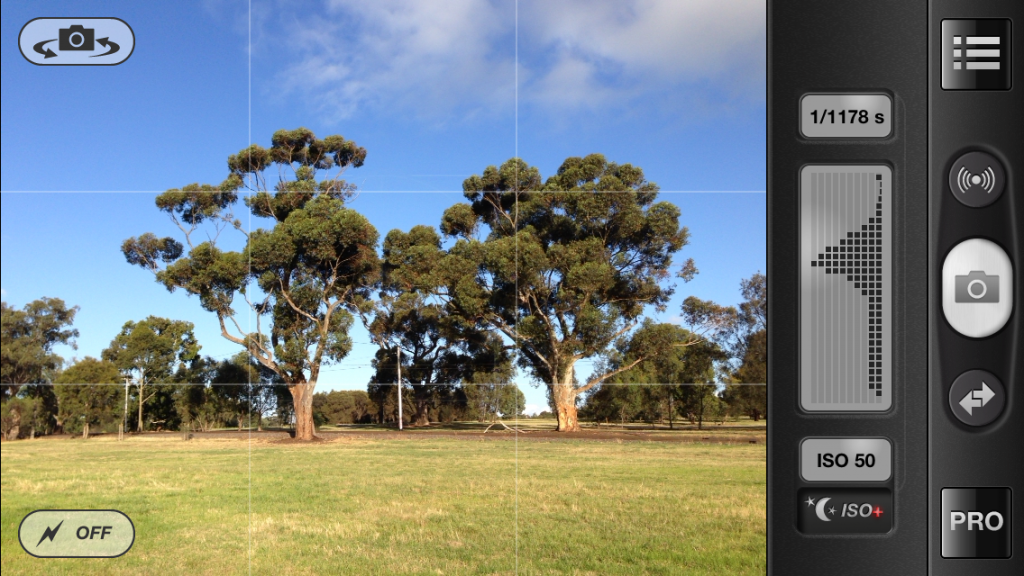
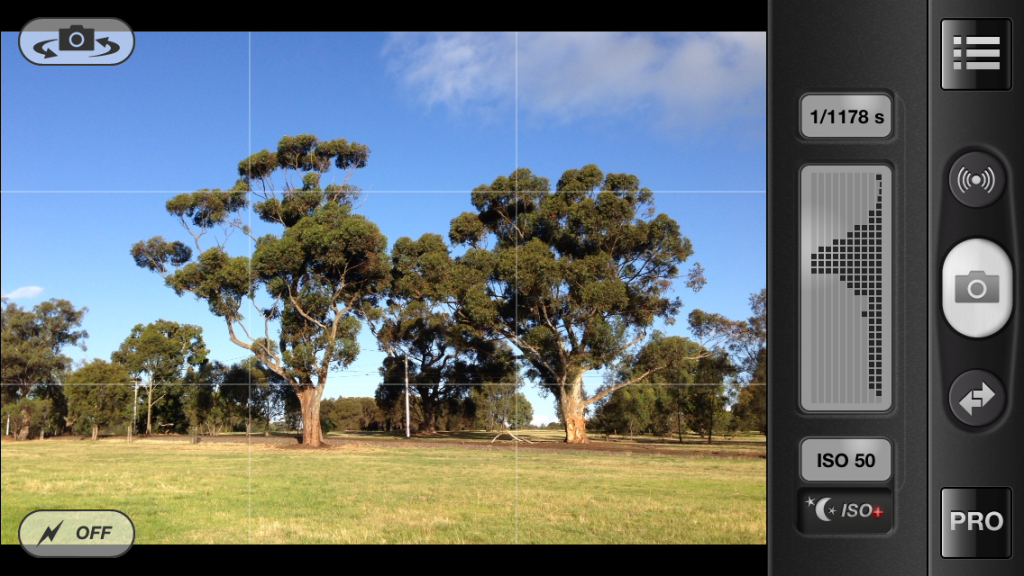
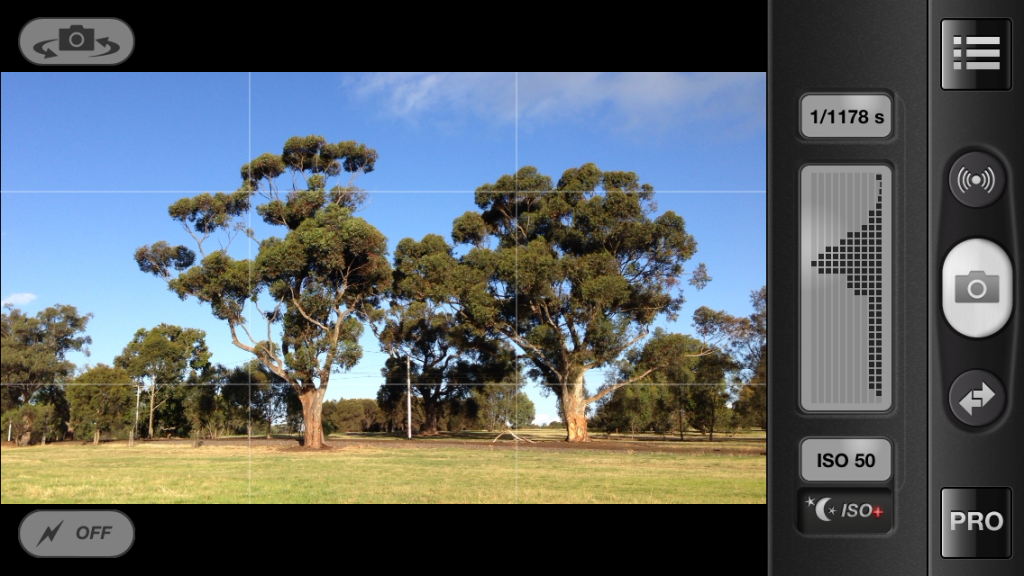
We’ve added new live Capture formats to give photographers more freedom when composing the shot. You can now take photos in square (1:1), widescreen (16:9), standard (4:3) and 3:2 formats.
| 4:3 (Standard) | 3:2 (35mm Film) |
|---|---|
 |
 |
| 16:9 (Widescreen) | 1:1 (Square) |
 |
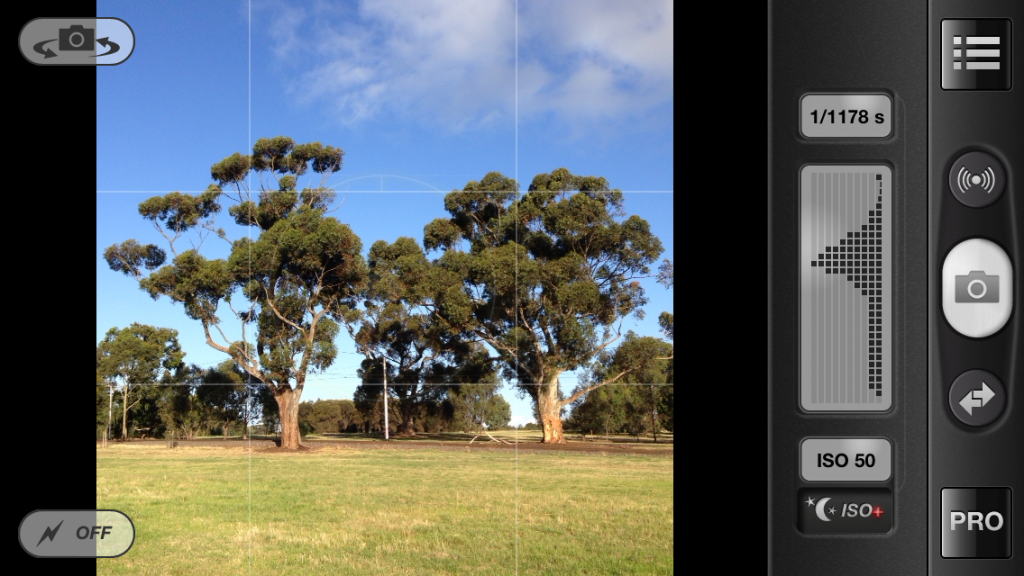 |
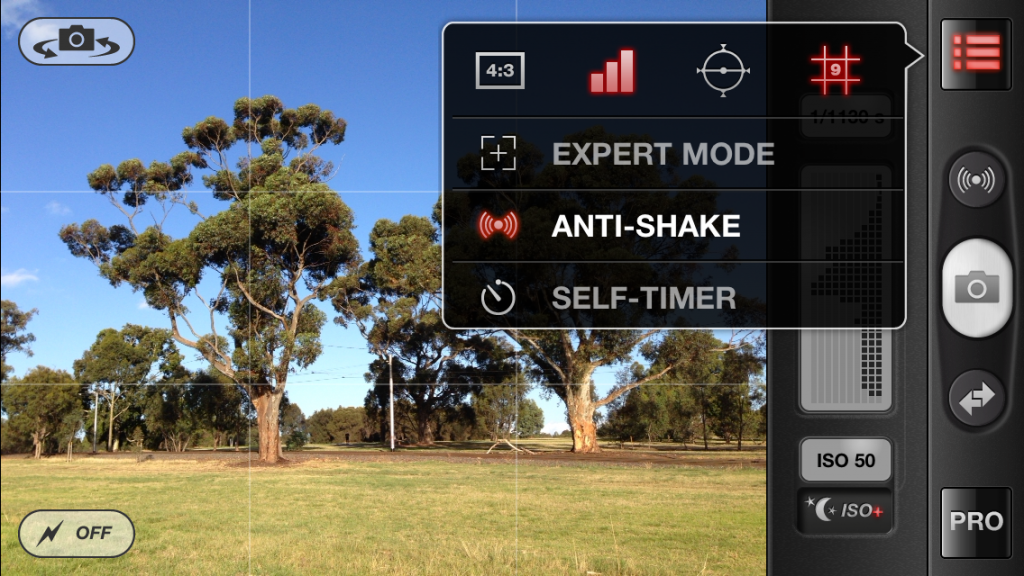
You can switch between the Capture Formats by pressing on the Options Menu and selecting the different Aspect Ratio (4:3 is shown by default – as shown below).
Powerful Editing Features
We’ve worked hard to give photographers powerful, yet easy to use editing features.
The brand new Tone Curve tool provides accurate, multi-point correction for your photos. This level of control is often reserved for desktop photo software like Photoshop. RGB and single color channel modes are also available.
We’ve also added new adjustment sliders including Shadow, Highlight, Exposure and RBG Hue control. You can also either use the sliders individually or drag-them out for multi-slider control. Oh, and there’s also a live Histogram for those who want even more control when editing their pictures!
The new ProLAB sliders work in landscape and portrait mode – just scroll down on the sliders to see them all!
We’ve given our ProFX filters some much needed love, adding a swag of new styles to the Vintage and Special groups. There are also new grid lines in ProCut to help with more precise photo cropping.
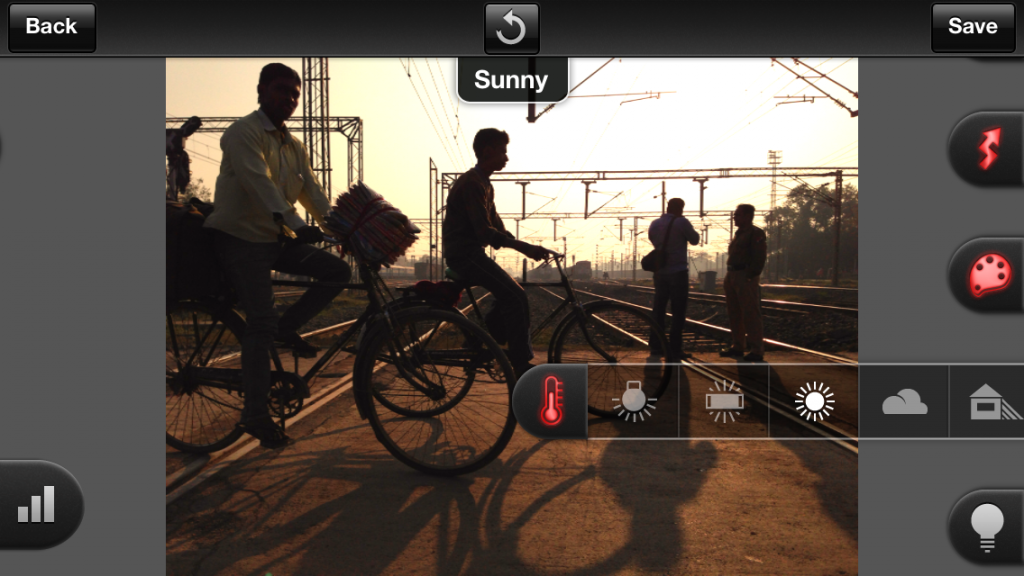
A selection of the new Vintage filters!
Video and Photo at the same time!
With the VideoSnapshot feature you can now snap a photo (2mp) while recording HD video! You never have to miss the perfect moment again. We’ve also added faster video zoom, a video meta-data viewer and Dropbox upload feature!
New Sharing features including SquarePrepare
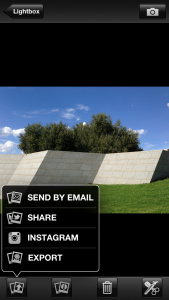
You can now send your landscape, portrait and square photos straight to Instagram with our SquarePrepare tool. We realized that a number of our users don’t want to upload only square photos to the app.
With SquarePrepare we’ve solved this issue by giving you a white canvas tool on which you can reposition and resize your photo to suit your needs. You can now upload landscape and portrait photos with ease.
Usability, Stability and Performance
ProCamera 4.0 has been rebuilt from the ground up resulting in blazing fast performance. Launch times, shooting response and photo saving are all faster than ever before. The app is also 100% stable.
We’ve also optimized the QuickFlick controls. Now you can flick right to access the Lightbox and Albums and flick left for the Settings. The Settings have also been simplified for easy access.
*One important note for existing users is that Volume Trigger has been removed from ProCamera 4.0. This is at Apple’s request. As an alternative you can use the Full-screen trigger or Smart Trigger (0.5 sec self-timer) to take your shots.
All in all, we’re extremely proud of this release and hope you’ll enjoy using all the new features!
Please let us know what you think about the new version in the comments below.
—
To celebrate the release of the app and in the spirit of the holiday season we’re dropping the price of ProCamera 4.0 to only $0.99 (down from $2.99). But hurry, it’s for a limited time only!
We’ve also dropped the price of ProCamera HD for iPad down from $4.99 to only $1.99. Click here to download.