
What’s New in ProCamera v14.2 – ProRAW Capture and Editing
ProRAW Capture and Editing is here!
Capture more information and a higher dynamic range. The innovative new ProRAW format combines sophisticated computational photography processes with the acclaimed flexibility of RAW photos. For the very first time, you can now get both features in one file.
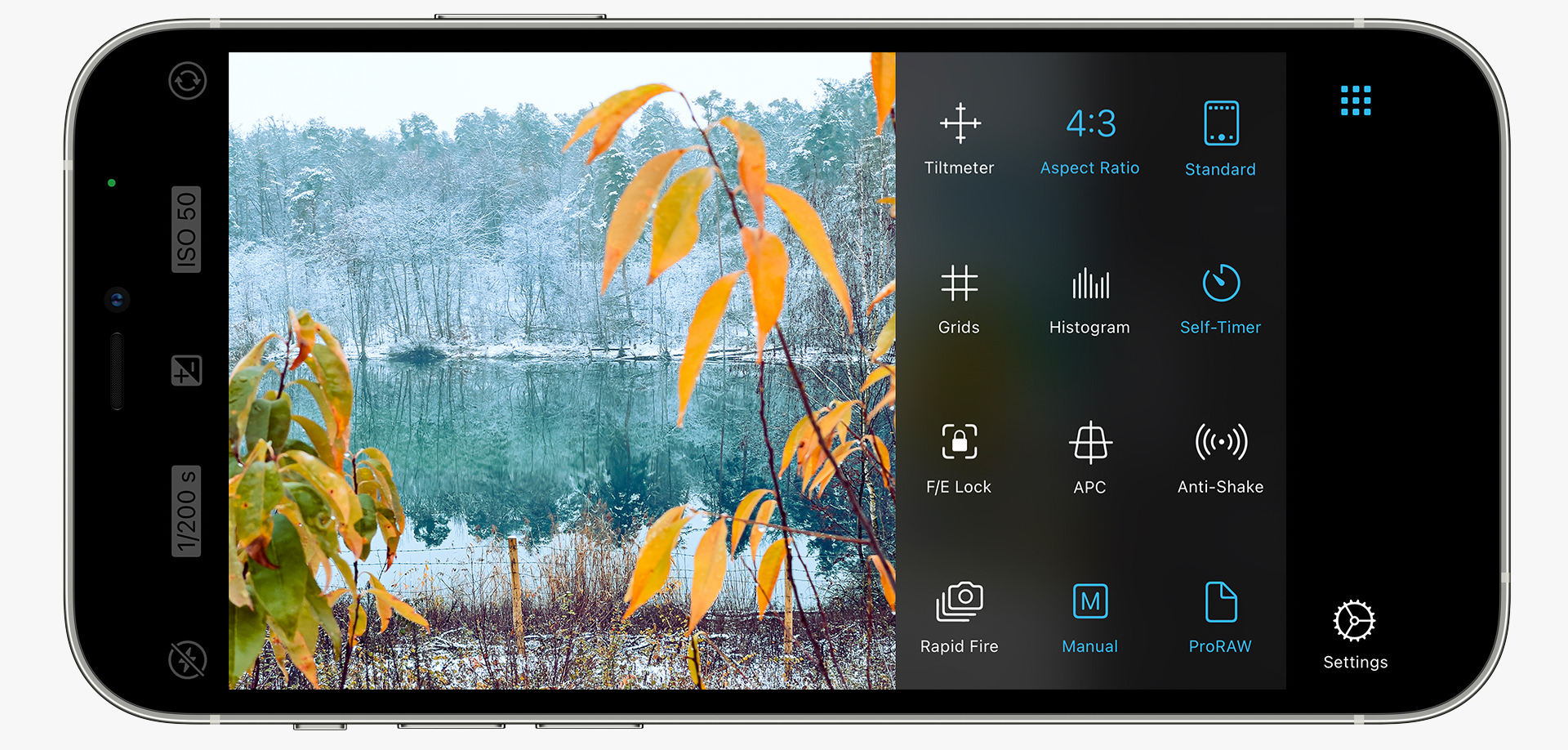
What exactly is a ProRAW photo?
Until now, you had to decide between the added editing flexibility of RAW files on one side – and advanced computational photography techniques (such as Deep Fusion and Smart HDR) on the other. With ProRAW, multi-image fusion and processing techniques are now available in a RAW-based workflow!
Apple’s ProRAW is a demosaiced RAW format that gives you a 12-bit Linear DNG file which retains more information and dynamic range. While you only need to tap the shutter button, the camera automatically captures and merges multiple exposures and also reduces image noise in the process.
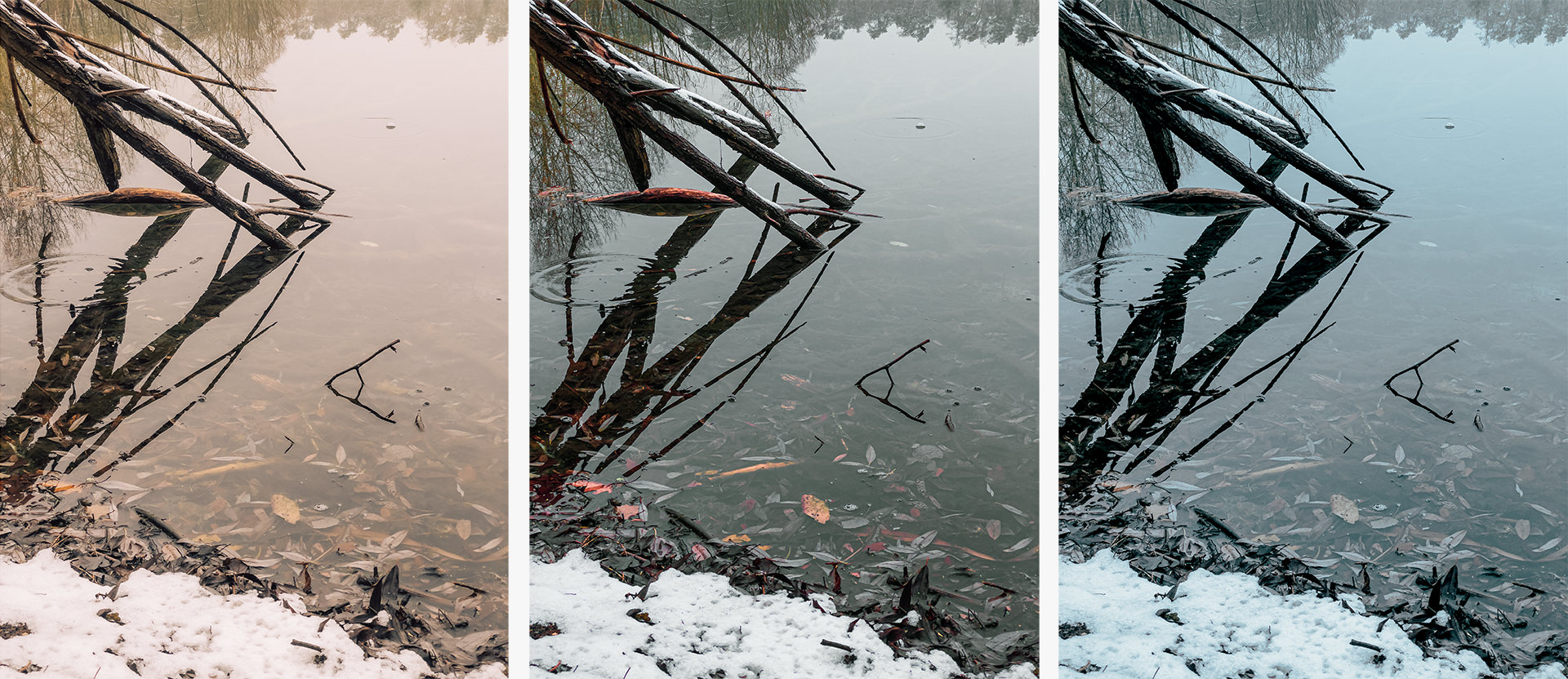
How to capture ProRAW files in ProCamera?
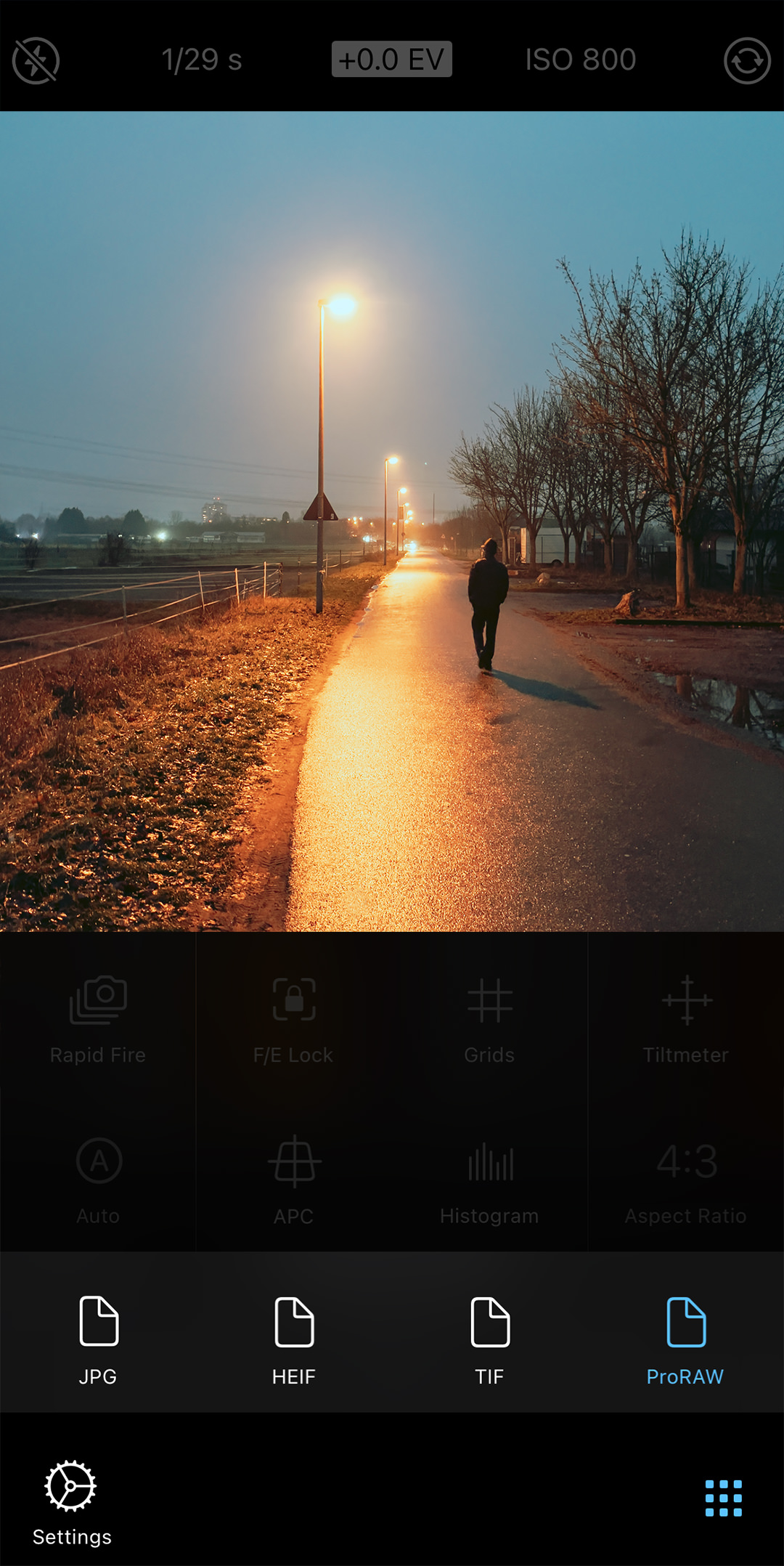
Taking a ProRAW photo is basically no different from shooting JPEG, HEIC, or TIFF. Yet, there are some special characteristics to keep in mind:
- The ProRAW capture process is based on parameters only the iPhone 12 Pro and iPhone 12 Pro Max can provide (hardware limitation)
- Your device needs to run iOS 14.3 or newer
- ProRAW is available for all lenses on the new Pro iPhones – this means you can take ProRAW photos with the ultra wide and the front-facing selfie camera (not possible with standard RAW)
- ProRAW is also available in ProCamera’s automatic A mode, which means it supports multi camera fusion (merging image information from various lenses/sensors), while standard RAW strictly requires single-lens capture. Standard RAW is therefore only available in M or SI mode as it contains unprocessed sensor data.
- Current 12 megapixel ProRAW captures are approximately 25 MB
- Open the Control Panel in Photo or LowLight camera mode to activate RAW capture
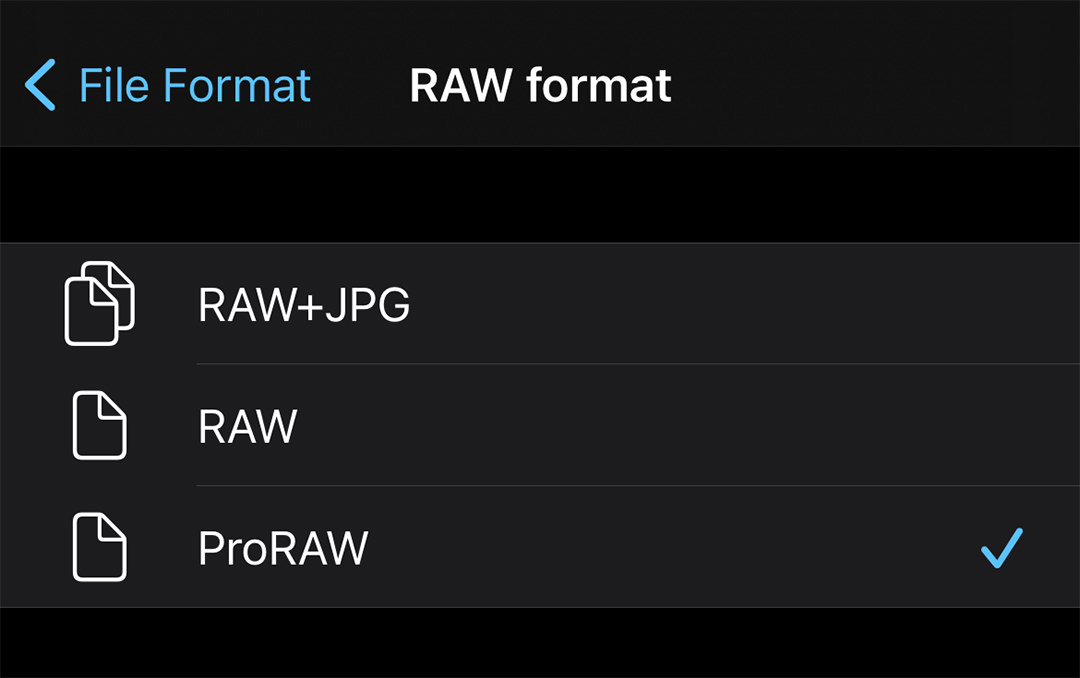
- Via Settings > File Format > Raw format you can determine whether standard RAW or ProRAW is available in the Control Panel
How to edit ProRAW files?
By leveraging the A14 Bionic processor, ProRAW files will look nice right from the start. In contrast, standard RAW files generally require some tweaking before they are ready for presentation (contrast, highlight detail, noise reduction,…).
Since ProRAW files also utilize the DNG file format, you will need a dedicated RAW converter to edit these files. ProCamera offers a full-featured editing suite for RAW and ProRAW photos. Speaking of, we have also introduced a completely new editing tool called “Tonemap” especially for ProRAW photos.
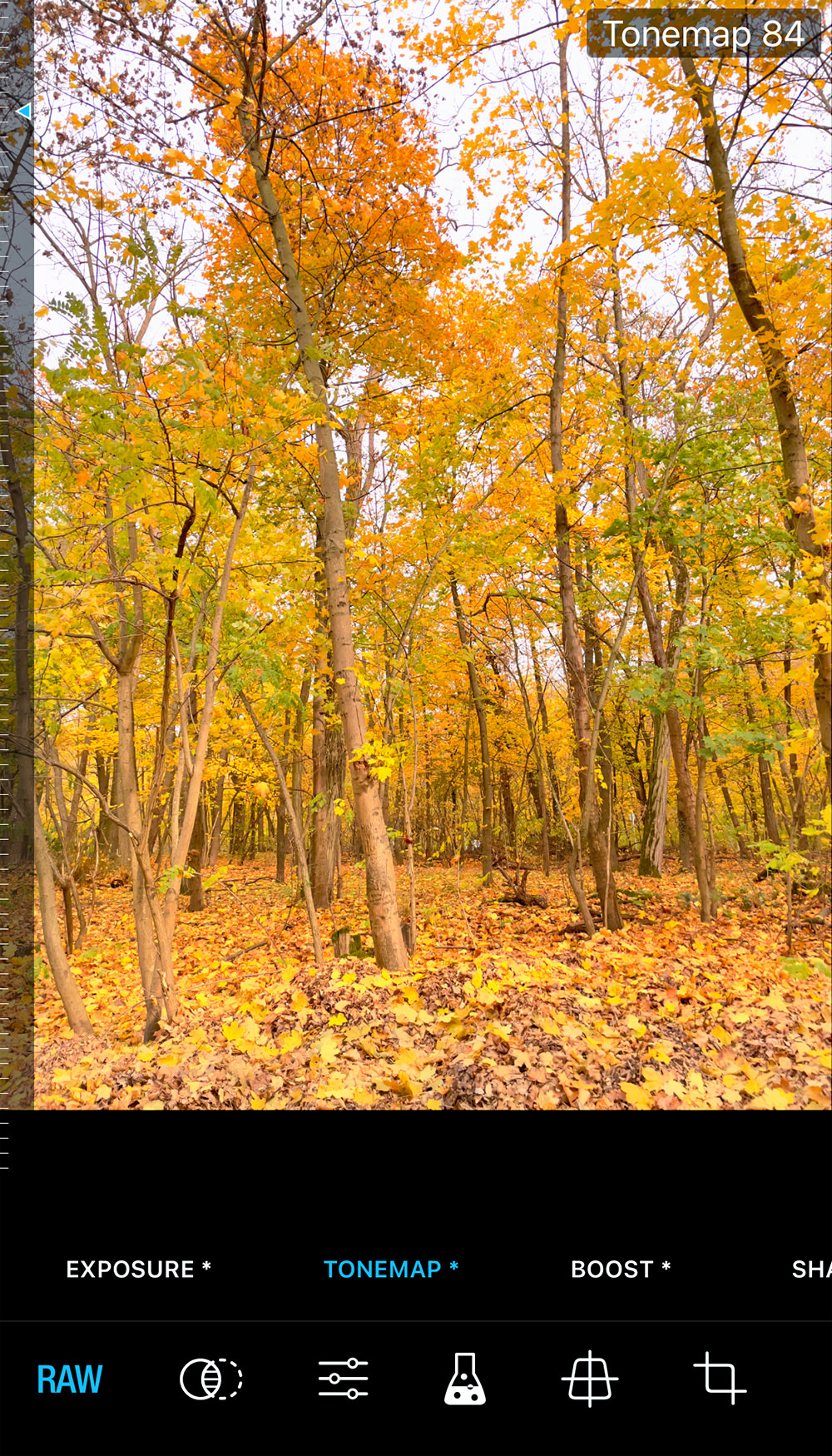
How can I tell if a photo is a ProRAW file?
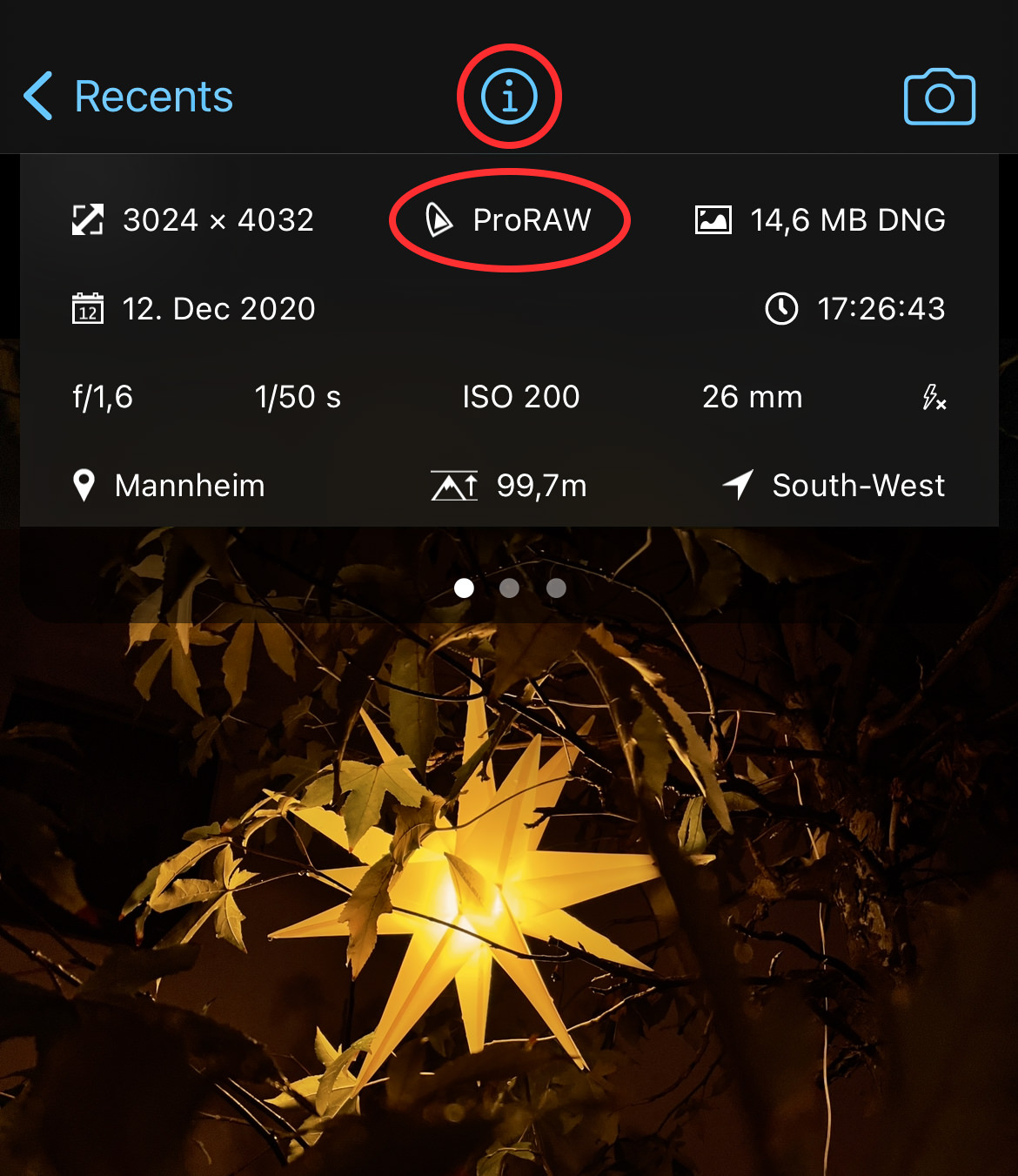
Since you will probably have a mix of JPEG, HEIC, TIFF, PNG, RAW, and ProRAW photos in your camera roll soon, we have implemented clear labelling:
- In album and single image view, all (Pro)RAW captures are marked “RAW”
- In addition to that, our EXIF Viewer (tap “i” button) will also tell you if your file is a standard RAW or a ProRAW photo
Will ProRAW replace standard RAW?
We have been offering standard (Bayer) RAW in ProCamera since it was technically feasible. That was way back on the iPhone 6s! We continue to offer standard RAW as an option – even on the brand new iPhone 12 Pro and Pro Max (see screenshot above on how to select your preferred RAW format in settings). The reason why we still offer RAW next to ProRAW is that you will get different results.
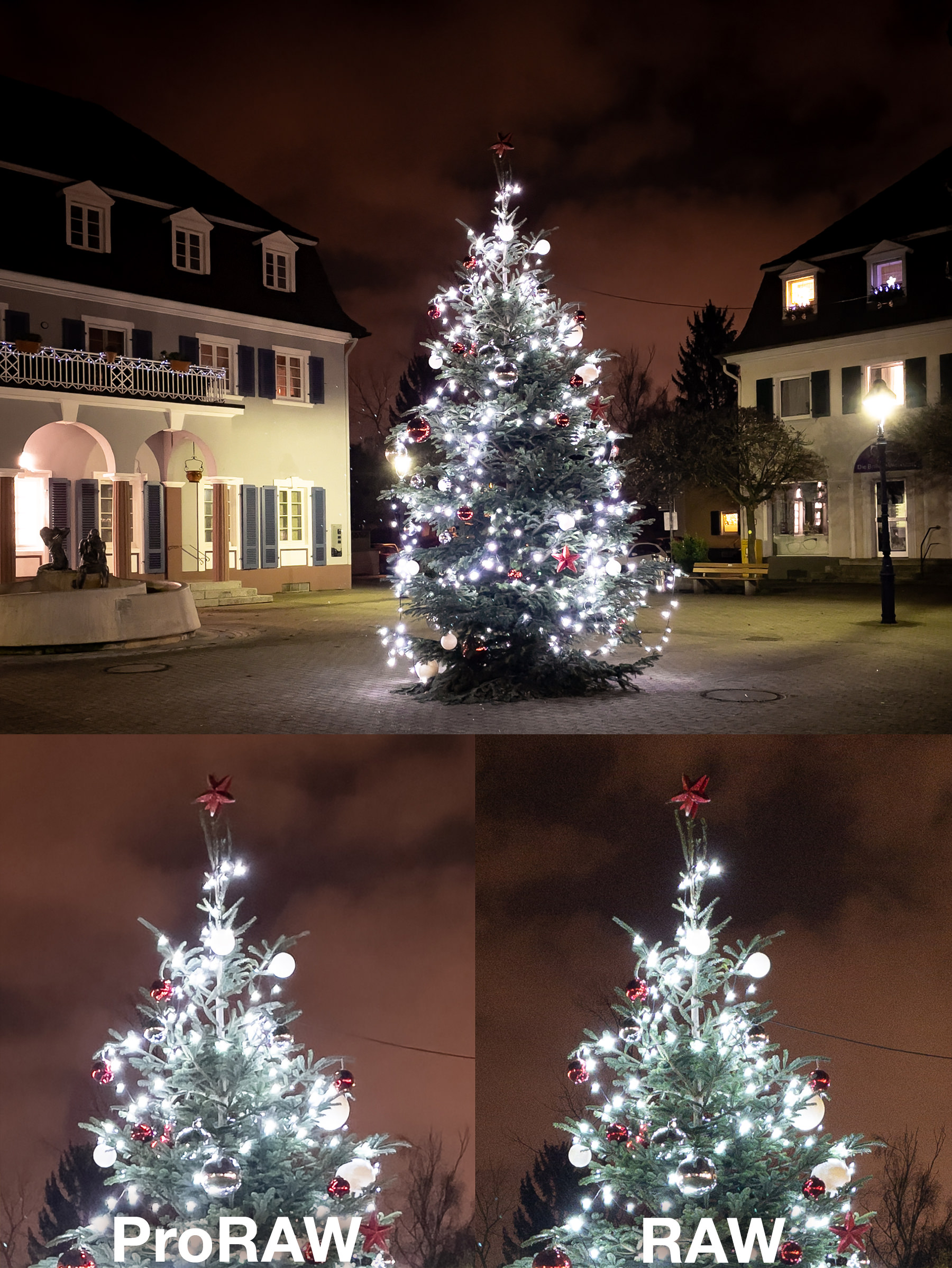
ProRAW – RAW low light comparison: The ProRAW capture is virtually noise-free even in this late-night shot – but some tiny details and textures got lost in the noise reduction process. Both picture sections are huge magnifications and the images were not processed/optimized at all (exposure, sharpness, noise, etc.)
With new sensors and lenses, standard RAW also improved with every iteration of the iPhone. It’s to be expected that ProRAW will also undergo continuous development with new iPhone and iOS generations. We encourage you to try both formats and find out which one you prefer. We will do the same thing in the coming weeks.
As with all new updates, if you have any suggestions or find a bug, then please let us know via in-app support or email us at [email protected].
Every single new or refreshed review is much appreciated. Thank you!
If you’d like to support our development, please help spread the word and consider leaving a review in the App Store: https://review.procamera-app.com