
What’s New in ProCamera v16.3 – Share All Versions, New Grid, Viewfinder Corners
Helpful markings on the capture screen, a new option to share all versions, and a redesign of the settings, shop, and support pages
For v16.3, we have rolled out a series of fresh new features for you to explore while we gear up for a major release
EFFORTLESS MULTI-VERSION SHARING
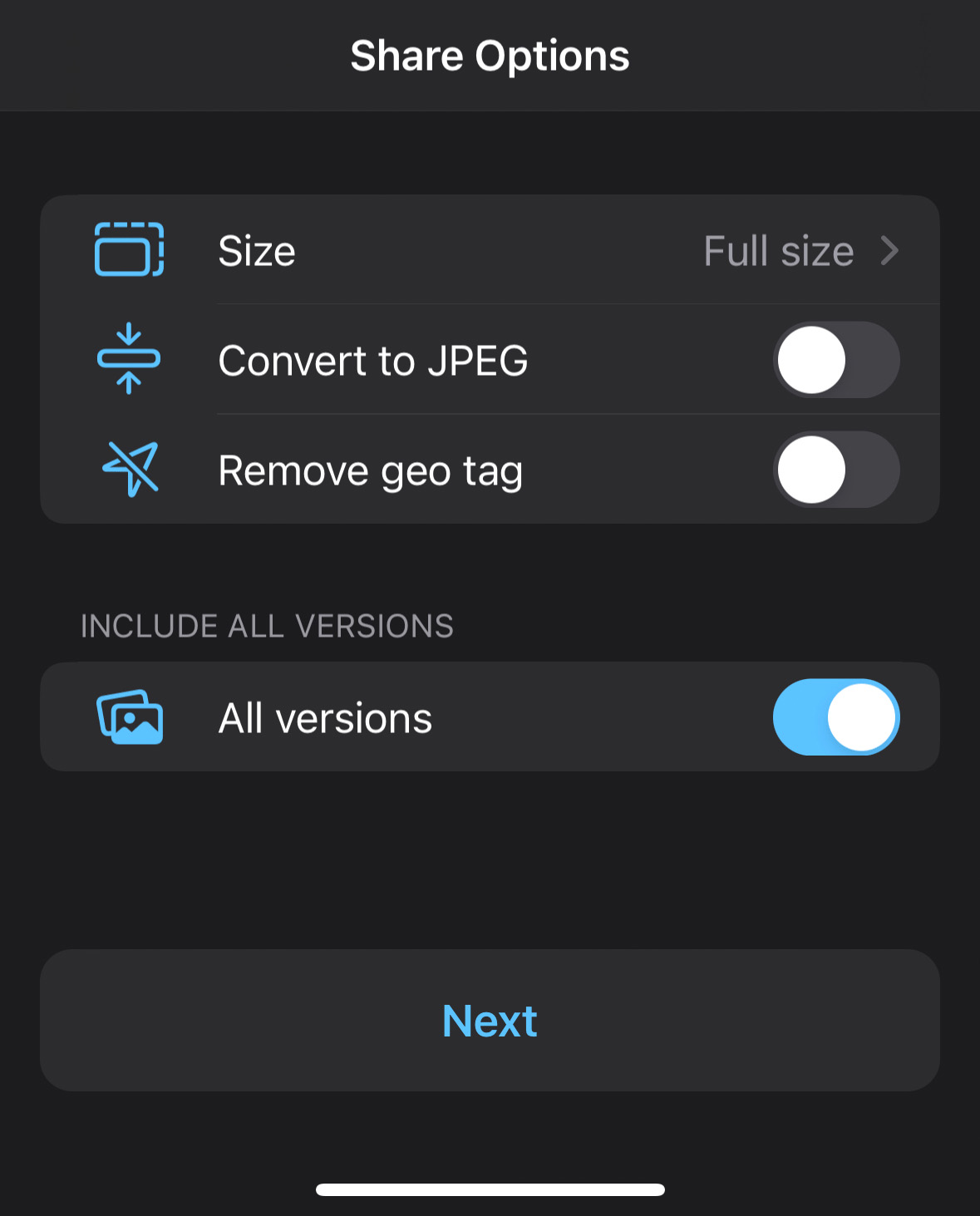
You might have multiple versions of a single photo in your camera roll, such as an edited version along with its original. In the past, you could only share one version at a time. With ProCamera’s innovative Share Options menu, you can now share all versions of a photo at once – for instance via AirDrop, messenger, mail, and more.
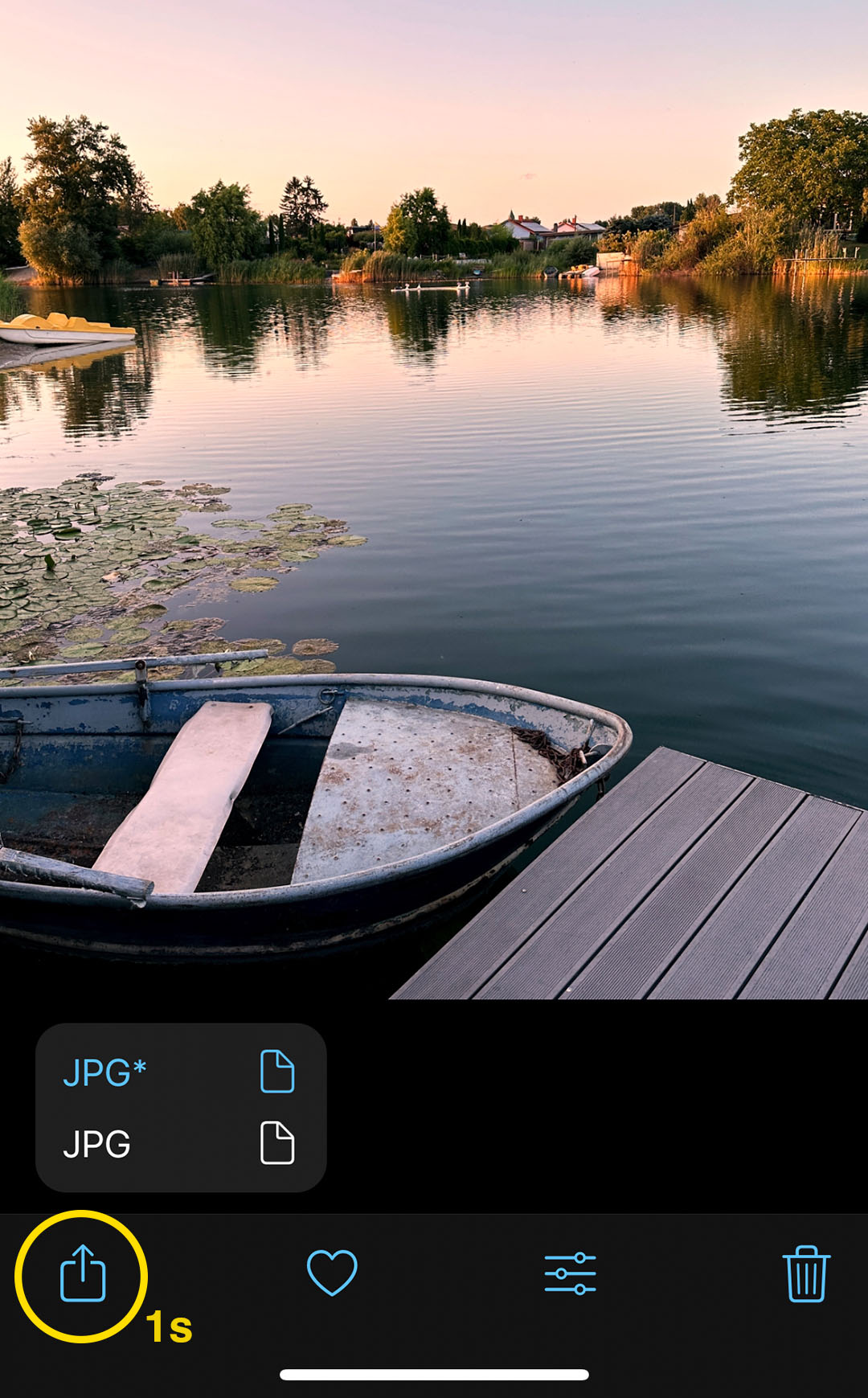
Whether you want to share a single photo or a selection of multiple photos, simply long-press the share icon (arrow up symbol in the album, see screenshot) to access ProCamera’s Share Options menu where you can activate the “All versions” option.
45° GEOMETRIC COMPOSITION GRID
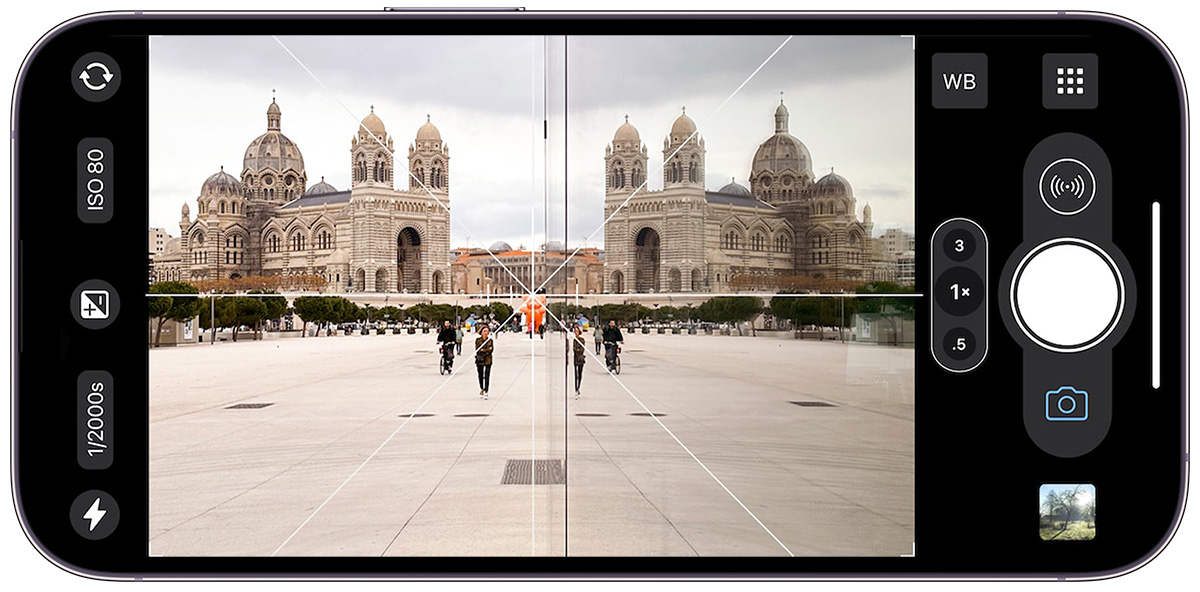
A new supplementary crosshair grid with 45° diagonal lines has been added as a helpful guide for geometric compositions. Activate via Control Panel > Grids.
The new grid option also seamlessly integrates with our 3D Tiltmeter for optimal precision and exact 45° camera rotation angles.
VIEWFINDER CORNERS
Corner markings have been added to the viewfinder for improved framing precision, especially in low-light conditions. In the iPhone screenshot above you can see the new corners on the darker side of the image.
If you prefer to disable this feature, simply go to Settings > Viewfinder.
SHEET-STYLE SETTINGS, SHOP, AND SUPPORT
Your Settings, Shop, and Support pages now conveniently open as a sheet which you can close with a quick downward swipe. Plus, you can swiftly access Settings directly from the Capture Screen with a quick swipe towards the middle of the screen starting on the Control Panel icon.
As with all updates, if you have any questions, suggestions, or find a bug, then please let us know via in-app support or email us at [email protected].
Every single new or refreshed review is much appreciated. Thank you!
If you’d like to support our development, please help spread the word and consider leaving a review in the App Store: https://review.procamera-app.com