
What’s New in ProCamera v18.3 – Duotone Filters, ProTimer Intervalometer, Adaptive HDR
ProCamera v18.3 introduces brand new Duotone photo filters, an upgraded ProTimer intervalometer, and enhanced adaptive HDR support for saving RAW and ProRAW edits
This exciting update brings even more creative flexibility, giving you greater control to capture and refine your shots—so you can bring your unique vision to life
NEW DUOTONE FILTER SET
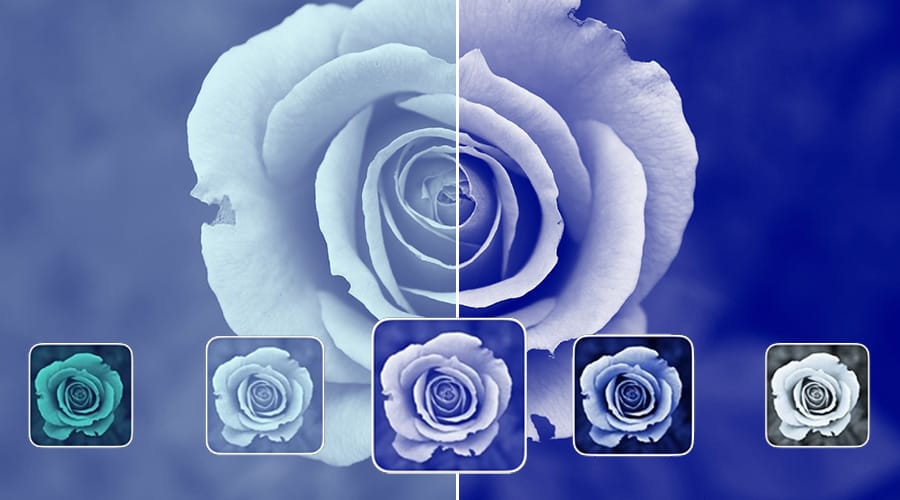
Unleash your creativity with our bold, vibrant Duotone photo filters—the “DUO” set including 25 handcrafted filters is now available as part of the ProCamera Up feature bundle.
Prefer a softer touch? Easily adjust the intensity of each filter by swiping down to achieve delicate pastel tones. These premium filters transform your photos into striking, eye-catching visuals.
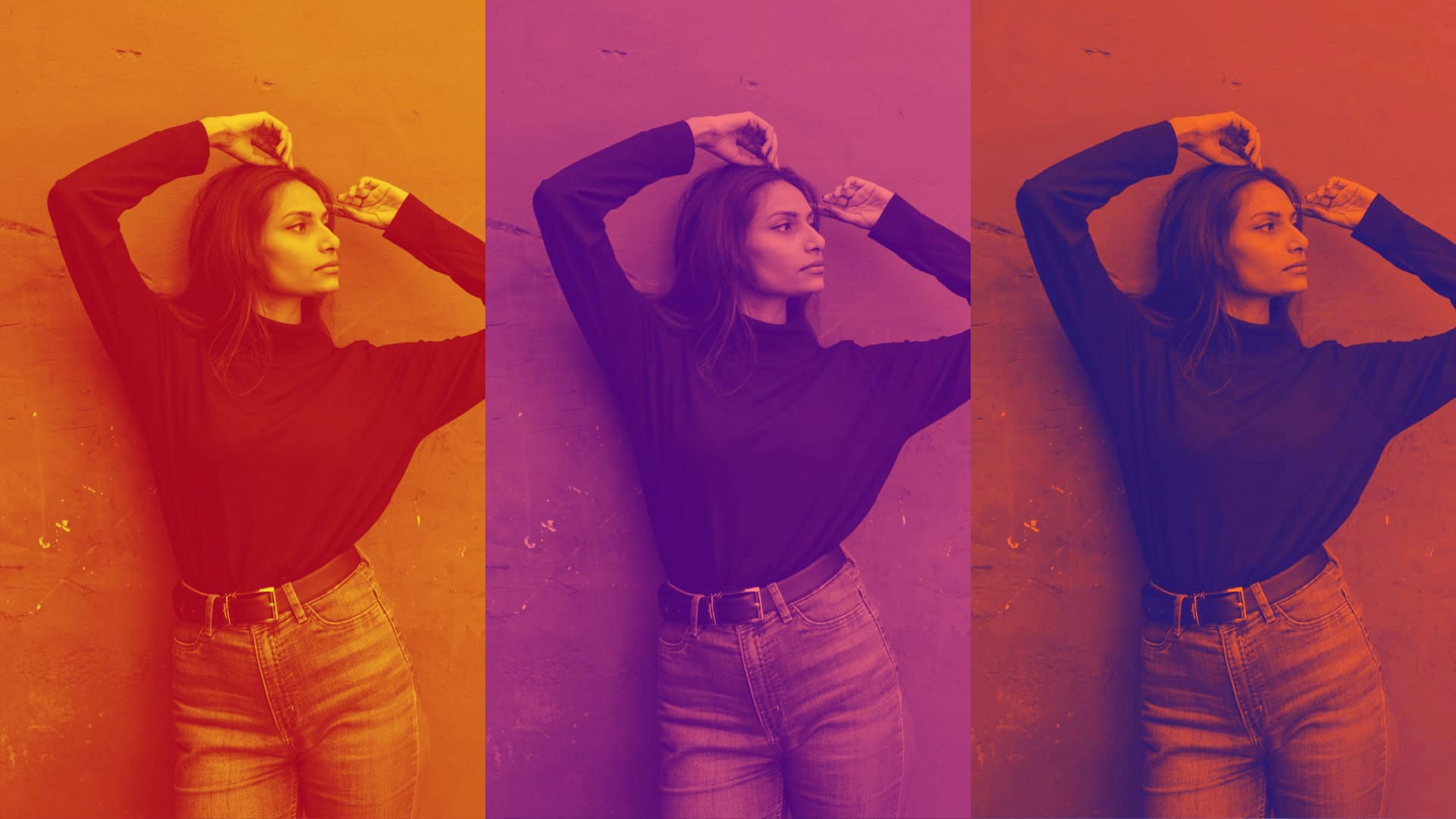
Unlike traditional filters that adjust hues or tones, Duotone filters transform your images by mapping highlights and shadows to two distinct colors. This creates a striking look that works especially well for portraits, architecture, product shots, and creative compositions.
Whether you’re aiming for a bold graphic aesthetic, a vintage print effect, or a cinematic color scheme, Duotone filters offer a unique way to stylize your photos. Their distinctive look makes them perfect for flyers, album and book covers, editorial imagery, and social media posts – anywhere strong visual impact is key. Experiment with different color pairings and combine them with our other editing tools to create visuals that stand out.
CAPTURE 50,000 PHOTOS WITH PROTIMER
Our ProTimer intervalometer now lets you shoot up to 50,000 photos in a single series – making it an essential tool for creating stunning time-lapses and long-duration projects with precision and ease. Simply dial in your capture settings and start the series; ProCamera will handle the rest, capturing all the photos for you.
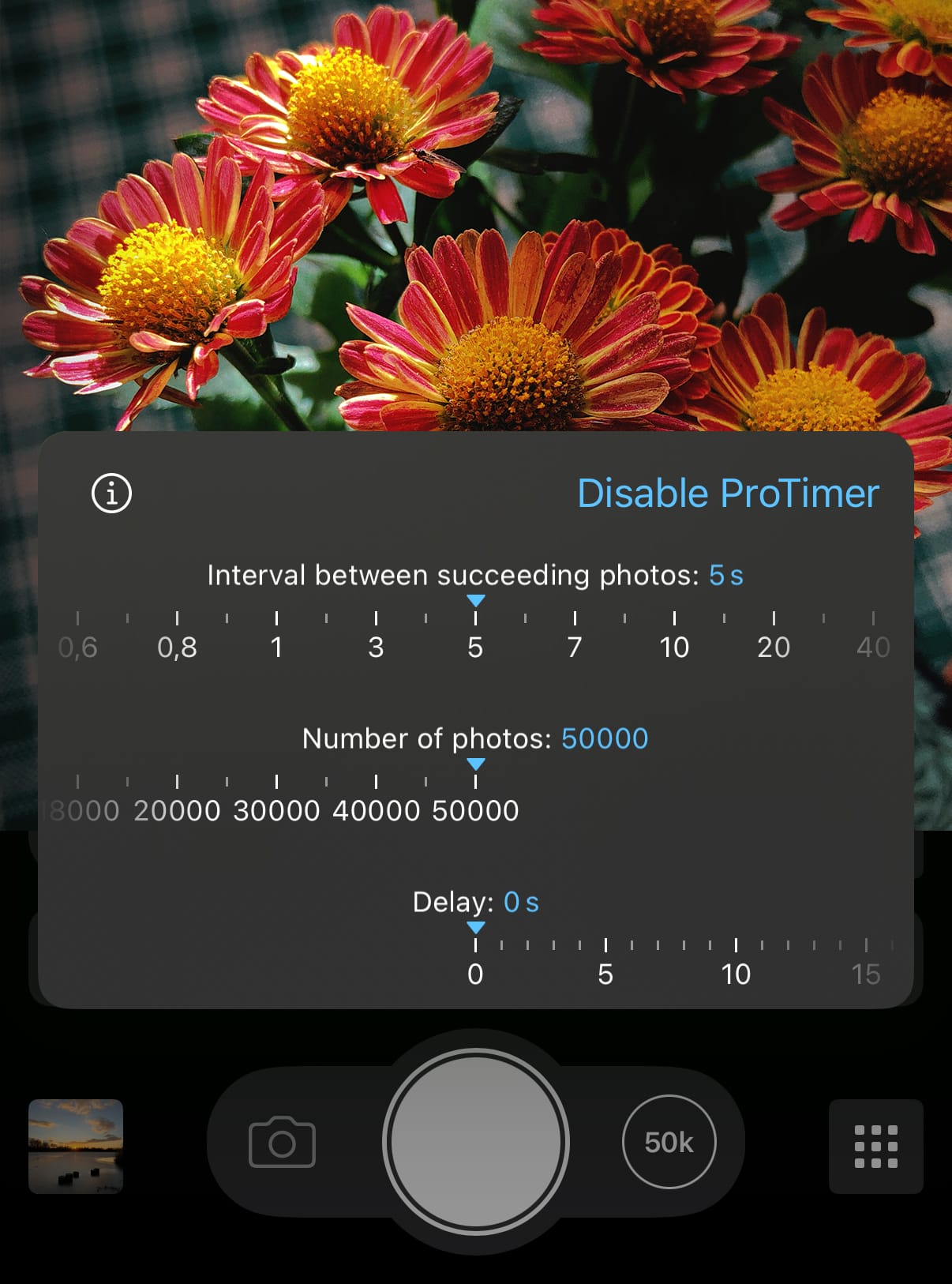
How to configure the ProTimer:
- Assign the Self-Timer as your Second Shutter
Open Control Panel > 2nd Shutter > Self-Timer - Tap and hold the Second Shutter button and “Enable ProTimer”
The Second Shutter is the button right next to the Main Shutter button - Dial in your custom capture settings
Pause between shots, number of photos total, delay before the first photo (see screenshot) - **Start the capture process**Tap outside the ProTimer window to close it, then tap the Second Shutter button to start capturing
ADAPTIVE HDR SUPPORT
Our editing studio now also supports Adaptive HDR for saving RAW and ProRAW edits.
What does „Adaptive HDR“ mean? It means this feature preserves the full dynamic range while ensuring optimal compatibility with systems that don’t support HDR.
When saving as an 8-bit file, an HDR gain map (at half the resolution of the original) is added to the capture to preserve additional luminance details. In contrast, when saving in 10-bit HEIC HDR, the luminance information is embedded directly into the file at full resolution. Tap and hold the ‘Save’ button in our studio to choose your preferred format from the ‘Save New Image As…’ menu.
New iOS versions and devices require careful adjustments to ensure optimal performance. As always, if you have any questions, suggestions, or encounter a bug, please reach out to us via in-app support or email at [email protected].
Every single new or refreshed App Store review is much appreciated. Thank you!
If you’d like to support our development, please help spread the word and consider leaving a positive review in the App Store: https://review.procamera-app.com