
What’s New In ProCamera v10.0 – RAW, iOS 10, Dual Lens, iPhone 7 Plus
This update is jam-packed with new features to help you capture the moment: RAW Photos, Haptic Feedback, Wide Color, Dual Lens…
With ProCamera v10.0, we remain steadfast in our determination to deliver the best photo tools for the latest iOS hardware and software.
RAW Capture
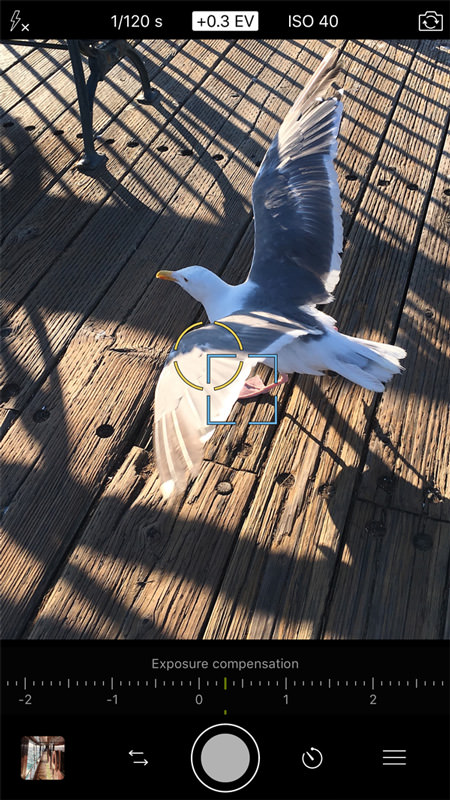
We are very excited to introduce full support for RAW capture in automatic and manual mode. It will be available on all devices with a 12MP camera. That’s the iPhone 6s, 6s Plus, SE and of course the brand new iPhone 7 & iPhone 7 Plus.
RAW photos will be saved in the DNG file format, and a separate JPEG file is always saved along with each of them. In Camera Roll and in the ProCamera gallery, RAW photos are displayed in preview size/quality. The actual RAW file always makes use of the full sensor resolution (4:3) – deviating capture formats like 16:9 or 1:1 will only affect the appendant JPEG file.
RAW capture is supported on both individual lenses of the iPhone 7 Plus.
*How To:*Open Control Panel (three lines icon, bottom right) > Settings > Photo Mode Options: File format.
A quick new way to change/check the file format is opening the Control Panel. In the bottom left corner, the current file format is displayed. Tap on it to change the file format.
RAW Editing
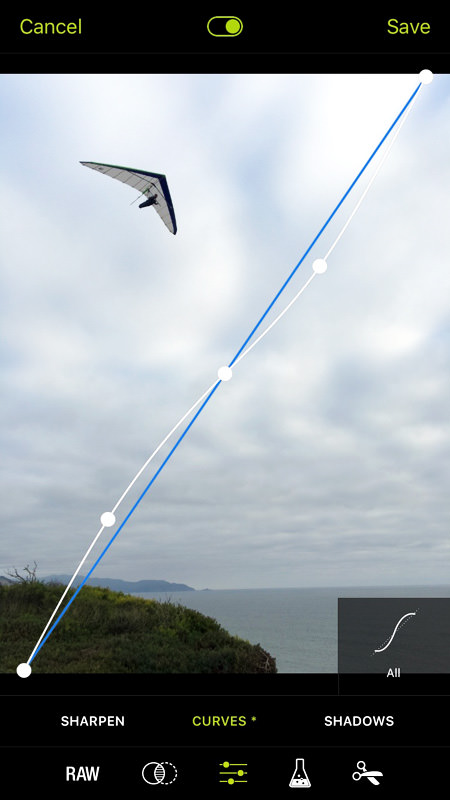
The Editing Suite of ProCamera now also supports RAW files on all devices capable of shooting RAW photos. Once again, this means iPhone 6s, 6s Plus, SE, 7, and 7 Plus.
When editing, RAW files (DNG) remain untouched. Edited versions of the capture will be saved as separate JPEG files. You will notice that the RAW editing includes brand new adjustment tools.
How To:
Open a RAW photo in the ProCamera Gallery and tap “Edit”.
We have dedicated a whole blog post on the current status of RAW in iOS10/ProCamera: https://www.procamera-app.com/en/blog/procamera-raw-dng-ios10/
Lens Selector
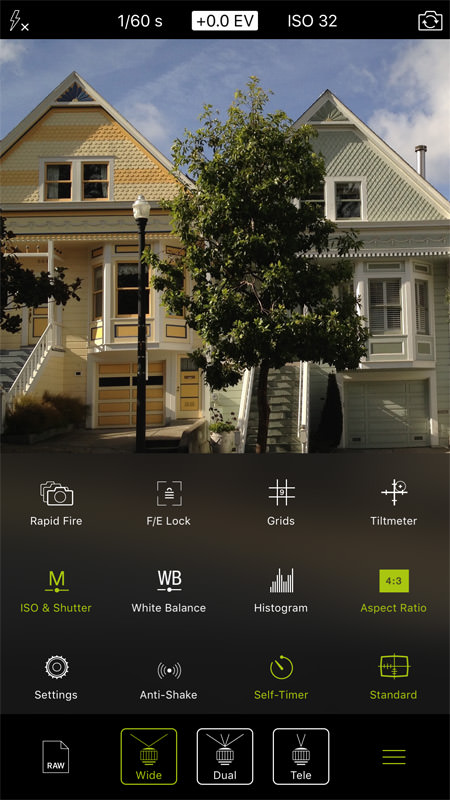
Quickly switch between the wide and the tele lens of the iPhone 7 Plus. You will also feel the lens switch with haptic feedback.
*How To:*Open Control Panel (three line icon, bottom right) > Tap „Tele“, „Dual“, or „Wide“ icon in the new Tool Selector.
Wide Color
Take advantage of an even wider color representation. On the iPhone 7 and 7 Plus, we offer complete support for Wide Color capture.
Utilizing a bigger color space provides the ability to reproduce colors more accurately than the existing Standard RGB can.
Haptic Feedback
Get a more analogue camera feel on the new iPhones with the exciting haptic feedback. Now, you can see AND feel adjustments in ProCamera.
Creative Cloud
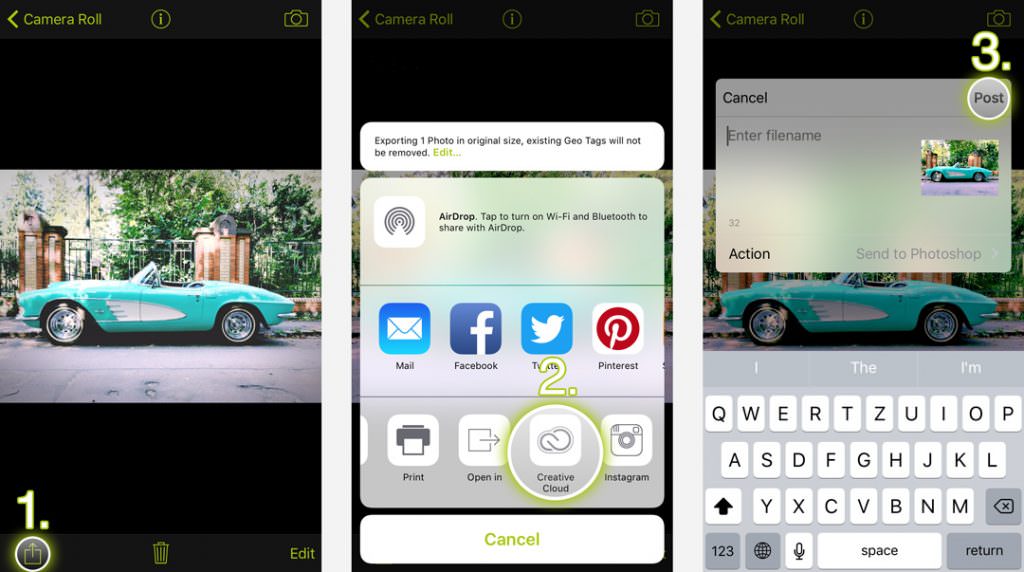
The Adobe Creative Cloud integration has been extended. Now, you can directly send a RAW photo from within the app to the desktop version of Adobe Photoshop CC. The built-in raw converter functionality of Photoshop CC (Camera Raw) provides an extensive range of editing and adjustment tools.
NOTE: iPhone 7 / 7 Plus + HDR / LowLight Plus
With every new generation of iPhones comes a new built-in camera system. To get optimal results in our special camera modes vividHDR in ProCamera and LowLight Plus, the capture process needs to be adjusted to the new camera characteristics. The „camera response curve“ of the actual devices has to be analyzed, so that’s not something we can prepare in advance. Our technology partner Ittiam Systems and we are working as fast as possible to release a product that meets our high quality standards.
Over the coming weeks, the two modes will be optimized for the new devices, and there will be free updates for both in-app purchases. Previous purchases can be restored. Low Light Plus will be available very soon. We are sorry you have to wait. Please bear with us for the time being. Your ProCamera Team.
Update 1 (September 28): With v10.0.1 of ProCamera, LowLight Plus is also available on the brand new iPhone 7 and iPhone 7 Plus. Better-than-ever low light performance! Enjoy.
As with all new iOS releases and updates, if you have any suggestions or find a bug, then please let us know via the in-app support or email us at [email protected].
If you’d like to support our development please help spread the word. Consider leaving a review in the App Store: https://review.procamera-app.com
Since we lose all previous App Store ratings once we release an update, every single new or refreshed review is much appreciated.